The internet is a part of everyday life. We use it to send messages, watch videos, shop online, and connect with people worldwide. But do you know how the internet works step by step? Understanding this helps you use it better and stay safe online. This article explains the internet in simple English for beginners.
What Is the Internet?
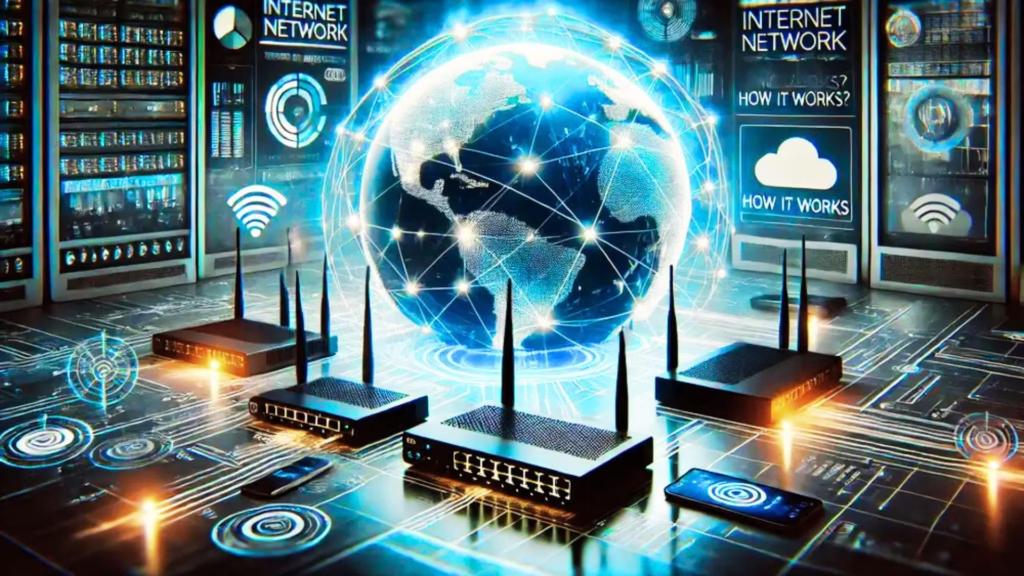
The internet is a network of networks. It connects millions of computers, servers, and devices worldwide. Through the internet, information can travel anywhere in seconds. Emails, websites, social media, and online games all use the internet to function.
Think of the internet as a huge digital highway where data travels from one place to another.
Step 1: Devices Connect to the Internet
Everything starts with a device like a smartphone, tablet, or computer. Devices need an internet connection to access websites or apps. This connection is usually through:
- Wi-Fi: Wireless connection using a router
- Mobile data: Provided by telecom networks (3G, 4G, 5G)
- Ethernet: Wired connection through cables
When your device connects, it gets an IP address, which is like a digital home address. This allows other devices and servers to find it.
Step 2: Using a Browser or App
Once connected, you use a web browser (like Chrome, Firefox, or Safari) or an app (like WhatsApp or YouTube). You type a website name or click on a link, which tells the device what information you want.
For example, typing www.example.com is a request to see that website.
Step 3: Request Sent to a Server
Websites are stored on servers, which are powerful computers that hold web pages, videos, and other data. Your device sends a request to the server asking for the information.
- Servers have unique IP addresses
- They store the website content
- When your request reaches the server, it prepares the data to send back
Step 4: Data Travels Through the Internet
Data travels in small packets through the internet. These packets move via:
- Routers: Devices that direct data along the best path
- Cables and satellites: Fiber optic cables under the ocean, cell towers, or satellites
- Internet service providers (ISPs): Companies that connect homes and devices to the internet
Packets may take different routes but arrive at your device and reassemble to form the complete webpage or file.
Step 5: Domain Names and DNS
We don’t remember IP addresses easily, so websites use domain names like www.example.com. The Domain Name System (DNS) converts domain names into IP addresses so your request reaches the right server.
- You type a website name
- DNS finds the IP address of the server
- Your device connects to the server using this IP
DNS acts like a phonebook for the internet.
Step 6: Data Transfer and Rendering
Once the server receives your request, it sends the data back to your device in packets. Your browser then:
- Assembles the packets
- Interprets HTML, CSS, and JavaScript
- Displays the webpage on your screen
This all happens in a few seconds, giving the impression of instant access.
Step 7: Secure Connections
The internet utilizes protocols such as HTTP and HTTPS. HTTPS is secure and encrypts data, protecting your information from hackers. Secure connections are important for:
- Online banking
- Shopping online
- Messaging apps
Encryption ensures your data stays private during transfer.
You Can Also Read: what-is-artificial-intelligence
Step 8: Using Apps and Online Services
The internet also allows apps like YouTube, social media, and streaming platforms to work. They connect to application servers using similar steps:
- Your device sends a request
- The server processes it
- Data is returned to your device
Some apps also use cloud computing, storing data on remote servers for easy access anytime.
Step 9: Feedback and Interaction
The internet is interactive. When you click, type, or swipe:
- Your device sends information to the server
- The server responds based on your action
- Websites and apps update instantly
This makes online communication, gaming, and social media possible in real-time.
How the Internet Connects Everything
The internet connects millions of devices globally. It allows:
- Communication: Emails, messaging, video calls
- Information sharing: Websites, blogs, articles
- Commerce: Online shopping, banking, delivery services
- Entertainment: Streaming, gaming, social media
Platforms like Duel Du Quinte use the internet to share live sports results, updates, and predictions, showing how connected services rely on this digital network.
Final Thoughts
The internet is a complex system, but it works step by step: devices connect, requests are sent to servers, data travels in packets, and browsers or apps display information. Understanding how the internet works helps you use it safely, troubleshoot problems, and appreciate the technology behind everyday activities.
From sending emails to streaming videos or following sports updates on Duel Du Quinte, the internet makes global communication and instant information possible.